
Revit
Available
EZ King Studs
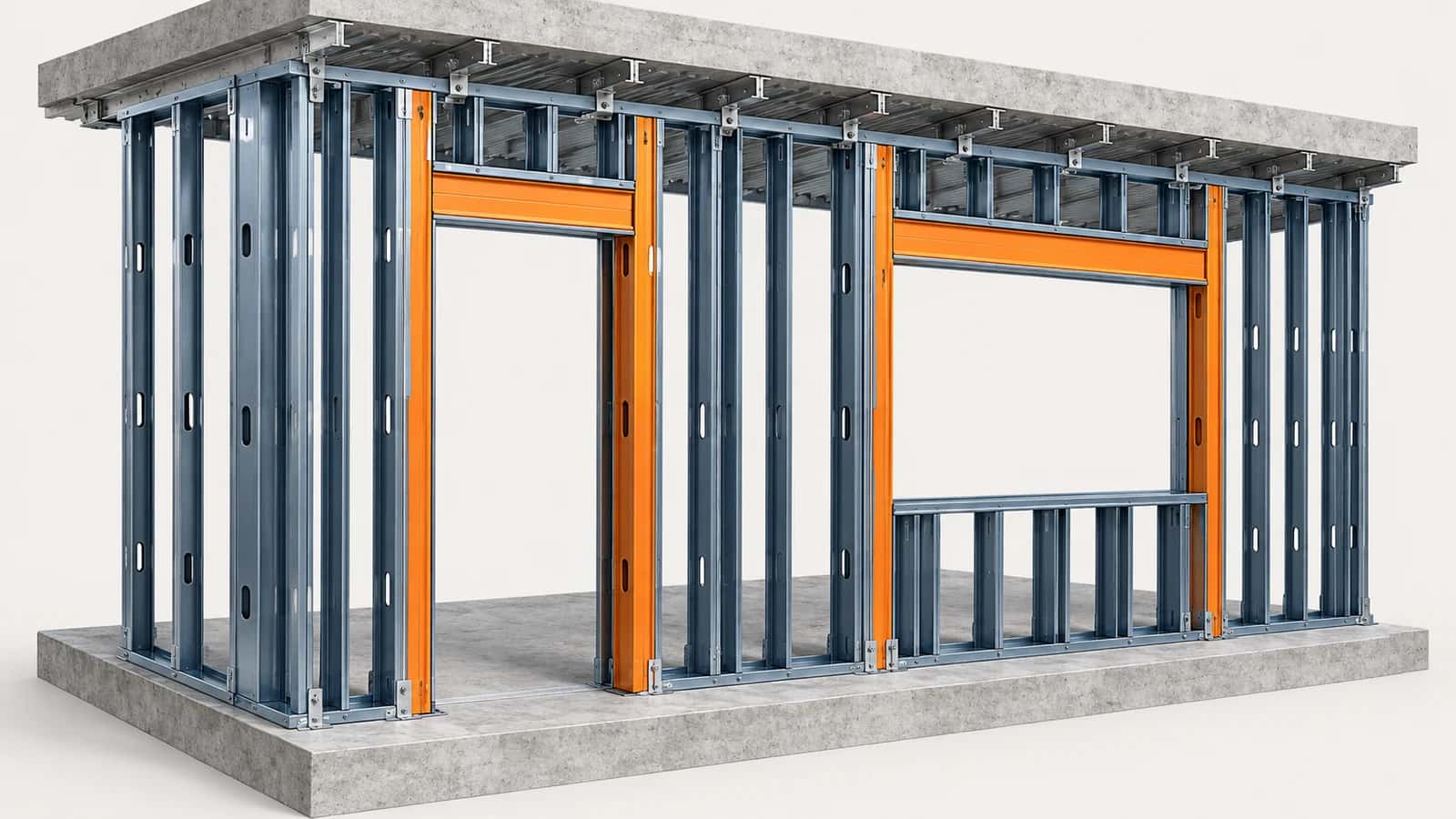
EZ King Studs places king studs and headers at door, window and embedded curtain-wall openings in Revit, sized to each opening and its host wall. Studs stop at the lower of the wall top and the deck above. A preview shows every change before anything is placed.
Part of the EZ VDC Toolkit
Revit and Navisworks plug-ins with one installer and one account. Subscribe to one, a bundle or all of them.
Choose the openings
Openings in the current model or one linked model
Doors, windows and curtain walls, by phase and level or picked by hand
Limit host walls by type name, for example Stud or MTL
Double king studs above an opening width you choose
Preview and update
Preview new, changed, unchanged, removed and skipped openings
Update keeps unchanged studs and your manual edits
Rebuild recreates every tracked stud in scope
Optional destination workset; one Undo removes the run
Screenshots
Opening and framing settings
Studs and header at an opening
Why EZ VDC Toolkit?
1
Opening framing across a whole model in minutes2
Stud heights follow the real wall and deck geometry3
Model changes are picked up without losing your editsDesigned For
Framing Detailers
BIM Modelers
Drywall and Framing Contractors
Includes
King studs and headers at doors, windows and curtain walls
Host wall filter by type name
Double studs above a width you choose
Preview new, changed and removed openings
Update keeps your manual edits
Need something custom?
We build custom Navisworks and Revit plug-ins for your workflow.
Request DevelopmentAlso in the toolkit


