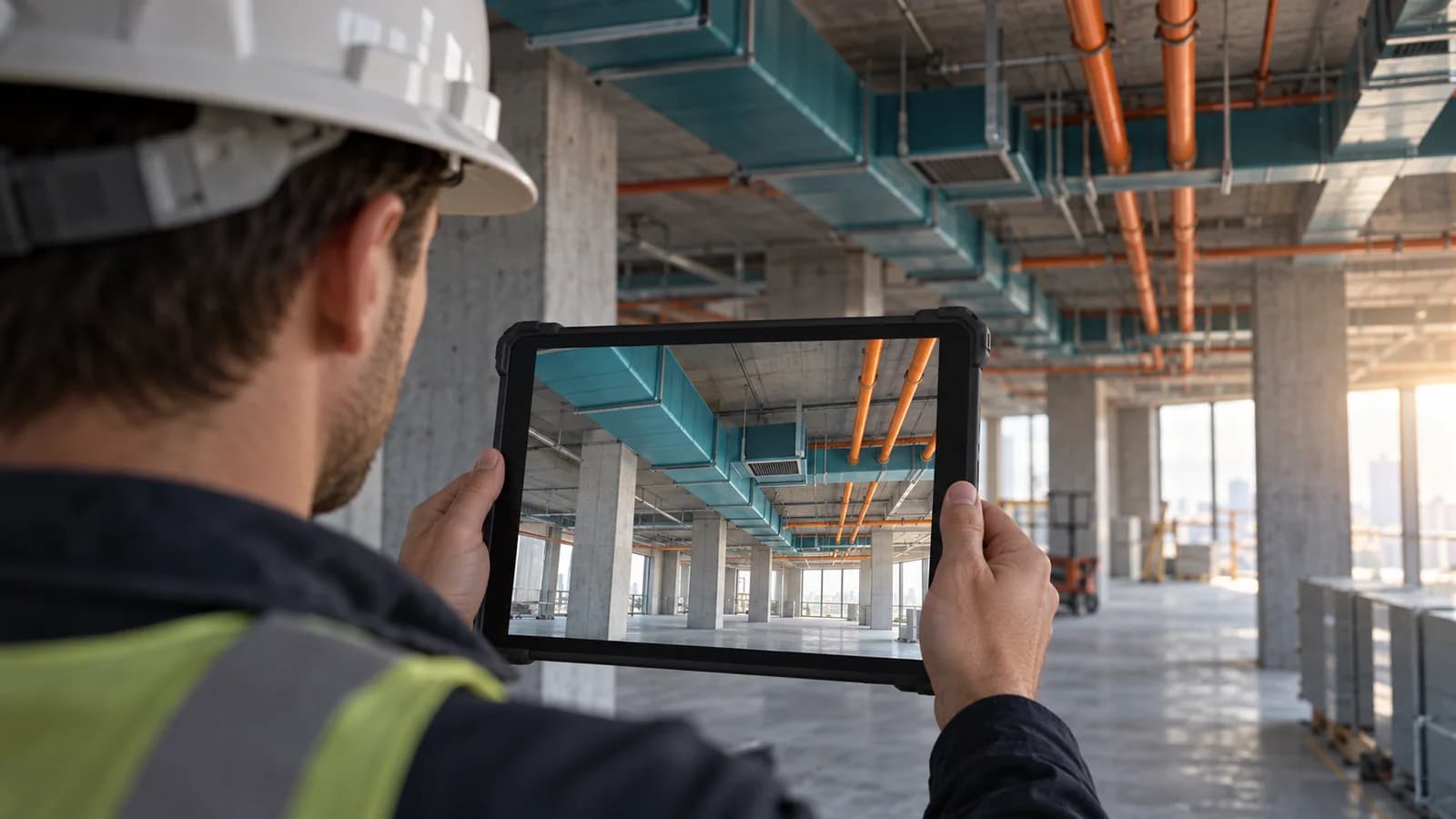
VR + AR
Real-time design review in Enscape and IrisVR Prospect, plus augmented reality overlays on jobsite for QA/QC and MEP rough-in verification. VR walkthroughs help owners make faster decisions and reduce late-stage design changes.
Virtual and augmented reality bring BIM models off the screen and into the hands of every project stakeholder: from owners seeing their building for the first time to trade contractors verifying installation clearances in the field. At EZ-VDC, we use Revizto, Enscape, and IrisVR Prospect to create immersive review experiences that surface design issues earlier, accelerate owner approvals, and make coordination more intuitive for teams who do not regularly work in 3D software.
Model Optimization
Source BIM models are cleaned, simplified for real-time rendering, and enhanced with materials, lighting, and environmental context before VR/AR export.
Environment Setup
We configure the VR/AR environment (navigation mode, scale calibration, hotspots, and issue-flagging tools) tailored to the type of review session planned.
Review Session Facilitation
We facilitate the VR review session, guiding participants through the model, focusing attention on coordination zones, and capturing issues in real time.
Issue Logging & Export
Issues identified during VR review are exported as viewpoints with screenshots, linked to model elements, and added to the project issue log in ACC or Revizto.
AR Field Overlay
For construction verification, AR overlays let field teams compare installed work against design models using tablets, identifying deviations before systems are closed in.
What we need to scope your project
Share the project stage, disciplines, required deliverables, and target dates. Tell us which drawings, models, BIM Execution Plan, or information requirements are available.
We agree on formats, information requirements, responsibilities, review cycles, and acceptance criteria before kickoff. Deliverables follow the agreed scope.
Discuss your projectWhat hardware is needed for a VR review session?
We bring the hardware. For immersive VR reviews we use Meta Quest 3 headsets (standalone, no PC required) or HTC Vive Pro 2 for higher-resolution sessions. For AR field overlays we use iPads with ARKit or Microsoft HoloLens 2 for hands-free verification. You do not need to purchase or prepare any hardware before a session.
How long does a typical VR review session take?
A focused VR coordination review (walking through a mechanical room, reviewing a complicated MEP zone, or presenting a floor layout to an owner) typically runs 90-120 minutes. Full building walkthroughs for owner approvals can take 2-3 hours. We structure sessions with specific review objectives and pre-identified areas of concern so time is used efficiently.
What model quality is needed for a VR walkthrough?
For coordination reviews, LOD 300 models with basic materials applied are sufficient. For owner presentations we recommend LOD 300-350 with Enscape materials and lighting for visual quality. We optimize and prepare the model for real-time rendering; you only need to provide the most current coordinated Revit or Navisworks model.
Can AR overlays be used during active construction in the field?
Yes. AR overlays allow field teams to hold an iPad over an installed area and see the design model superimposed at 1:1 scale, enabling immediate comparison of installed vs. designed conditions. This is most effective for MEP rough-in verification, structural connection checks, and penetration confirmation before systems are concealed.
How are issues identified in VR captured and sent back to the coordination workflow?
Issues flagged during VR sessions are exported as Revizto issues with model-linked viewpoints, screenshots, and assignee information. They flow directly into the project issue log and appear in your existing ACC or Revizto coordination workflow. No separate system is needed, VR outputs connect to your existing project management platform.
Editable worksheets for scoping the work
Blank Markdown templates: open them in any text editor. They contain no client data and do not represent project results.
How to compare proposals