
Revit
Available
EZ 3D Room Tag
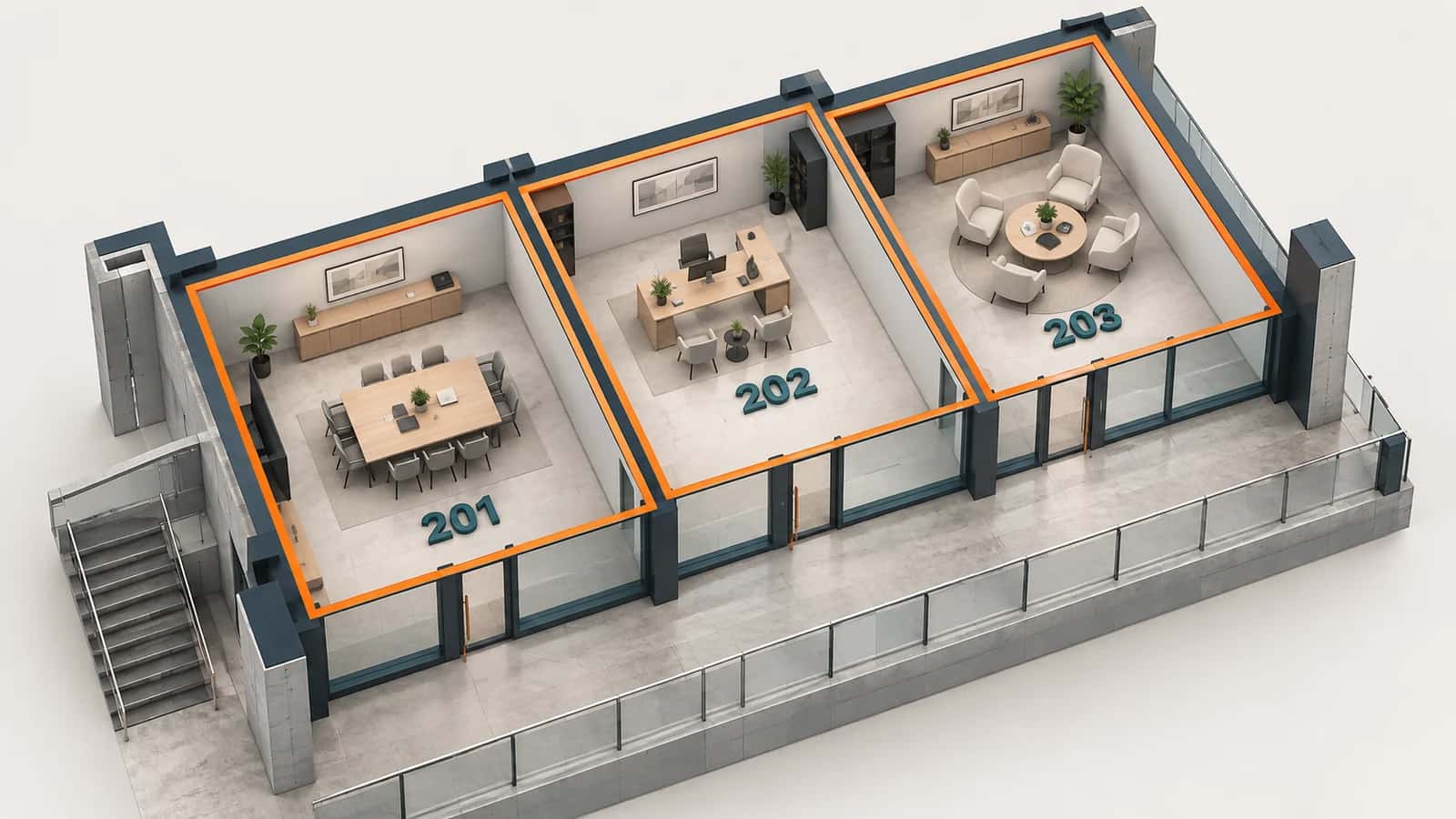
EZ 3D Room Tag places 3D room labels in Revit and copies the room data you choose onto them. The labels show up in 3D views and in Navisworks, so coordinators can see room numbers and names in the coordination model.
Part of the EZ VDC Toolkit
Revit and Navisworks plug-ins with one installer and one account. Subscribe to one, a bundle or all of them.
Place the tags
Rooms, slabs and ceilings from the current model or from links
Height just below the slab, just above the ceiling or at mid-height
Fixed rotation, or aligned to the longest wall of each room
Choose which room parameters to copy and an optional workset
Rerun safely
Update in place keeps element IDs that Navisworks and issues refer to
Or skip rooms that already have a tag, or delete and place again
Tags whose room is gone are reported for review
Screenshots
Room tag settings
Room labels in 3D
Why EZ VDC Toolkit?
1
Room context in clash reviews without switching to plans2
Works with linked architectural models3
Updates keep the same elements, so issues stay linkedDesigned For
BIM Coordinators
VDC Engineers
MEP Coordinators
Includes
Rooms from the current model or a link
Tags below the slab, above the ceiling or at mid-height
Fixed rotation or aligned to the longest wall
Copy room parameters to the tag
Update in place to keep element IDs
Need something custom?
We build custom Navisworks and Revit plug-ins for your workflow.
Request DevelopmentAlso in the toolkit


