
EZ Clash Manager
Group and review clashes in Navisworks
Turn native clash results into a review organized by location and responsibility. EZ Clash Manager brings grouping, assignment, model display, viewpoints and ACC issue workflows into Navisworks.
Practical guides for using this plug-inRevit and Navisworks plug-ins with one installer and one account. Subscribe to one, a bundle or all of them.
Group and assign Navisworks clashes with EZ Clash Manager
1 min 38 s · Recorded in Navisworks · English narration and captions. The 5-foot distance belongs to this example. Choose an appropriate value for your model.
Open the demo and transcriptWorked example: organize a floor-level clash review
Start with a duct-versus-pipe clash test. Use the recorded workflow to prepare location data, group the findings and focus the review on a responsible team.
Before you start
- Navisworks Manage with a federated model and usable Clash Detective results.
- Reliable test sets, model levels and grids. For zone grouping, prepare the appropriate zone sets.
- An EZ-VDC account with eligible trial or active access. ACC access is needed only for the cloud workflow.
- 1.
Run and check the test
Choose the two search or selection sets, test type and project tolerance. Inspect the results and confirm that the selected scope represents the intended trades.
- 2.
Check levels, zones and grouping rules
Configure grid/level data and inspect the location values. In Auto Groups, choose the test and a rule such as Level followed by Proximity. Use a distance appropriate to the model.
- 3.
Assign and focus the review
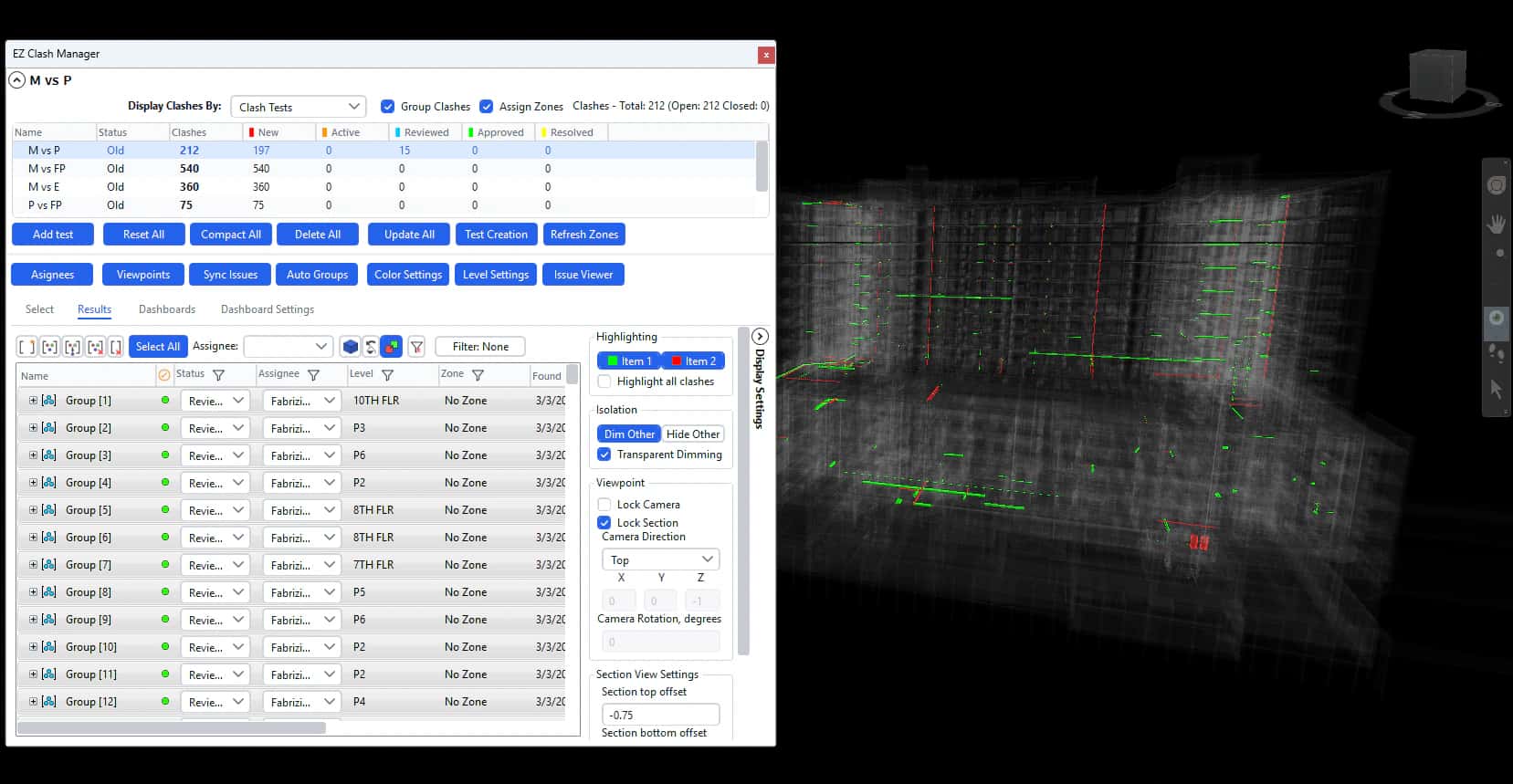
Populate Assignees, assign responsibility and filter Results by owner, level, status or zone. Adjust the section and camera so the affected elements remain readable.
- 4.
Share the reviewed scope
Export the selected review as viewpoints or a report. If the project uses ACC, review issue settings and assignees before synchronizing a small verified scope.
How to check the result
- Open representative groups and inspect their members in the model.
- Confirm level, zone, owner and status before sharing.
- Compare exported viewpoints or reports with the filtered scope. Check any ACC issue in the target project.
Scope and limits: Clash detection requires Navisworks Manage. Grouping depends on the supplied location data and rules. A grouped clash still needs engineering review; an ACC synchronization is a separate cloud write.
Questions about this workflow
Can I group clashes by level or zone?
Yes. Configure the model’s location data and zone sets first, then choose the relevant grouping criteria. Check a representative group before processing the full review.
Do I need ACC to use the grouping tools?
No. Local clash review, grouping, assignment and viewpoint workflows run in Navisworks. ACC is required for publishing and synchronizing cloud issues.
Does grouping resolve the clashes automatically?
Grouping organizes the findings. The coordination team still reviews geometry, responsibility and status before deciding how each finding should be addressed.
Intelligent Clash Grouping
Automation Tools
Visualization Control
Dashboards & Reporting
Test selection
Clash results and display settings
Coordination dashboard
Dashboard settings
ACC synchronization settings
Viewpoint export settings
What it adds to this workflow
Need something custom?
We build custom Navisworks and Revit plug-ins for your workflow.
Request Development