
Custom BIM Automation: Buy, Build and Define the Scope
Start with the repeated task and representative files. A clear scope makes an existing product easier to assess and a custom tool easier to validate.
A useful automation brief describes a repeated task, its inputs, the decisions people make and the output they need. “Automate coordination” is too broad to estimate or accept. “Create search sets from an agreed property mapping, preview the result and report unmatched values” gives a developer and coordinator something concrete to review.
Start with an existing product
Check whether an existing tool supports your Autodesk version and the exact task. Review its tutorial with a representative file and confirm what it changes. A product demonstration establishes a workflow; it does not establish a saving on your project.
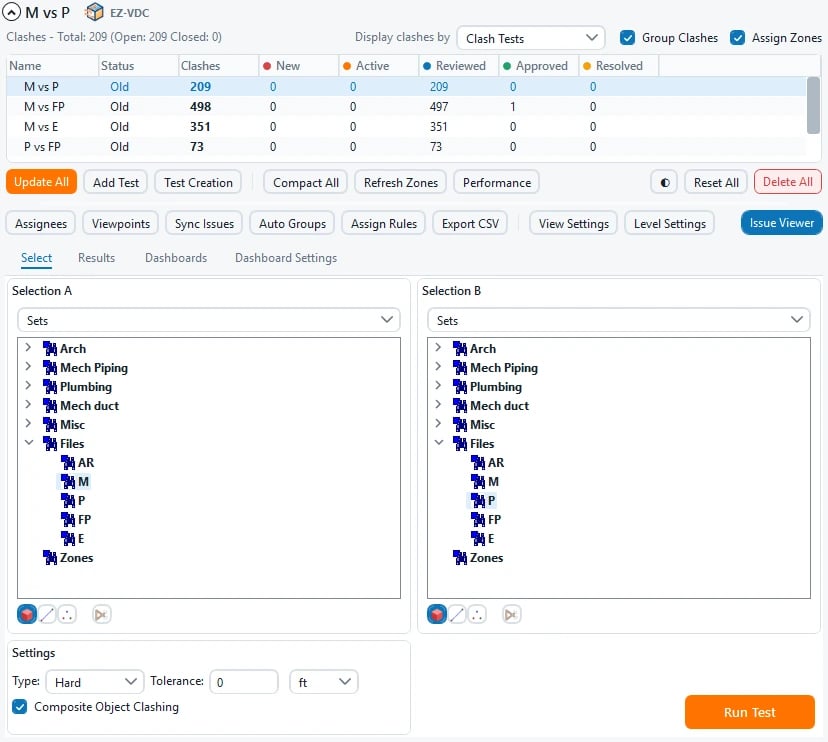
EZ-VDC’s EZ Clash Manager is one product reference: its published interface includes test selection, results review and reports inside Navisworks. EZ Search Sets addresses another defined coordination task. Review the current product pages and tutorials before treating either as a custom development requirement.
When a custom tool makes sense
Consider custom development when the required rules, outputs or integration cannot be met by a supported product or a change to the manual process. Record exceptions first. An undocumented human judgment cannot safely become an automatic rule just because it is repeated.
Include these items in the brief:
- Representative inputs and the current step-by-step workflow.
- Required outputs and examples of acceptable and unacceptable results.
- Elements, properties, views or files the tool may modify.
- Selection, preview, cancel and error behavior.
- Supported Revit or Navisworks versions and the deployment environment.
- Ownership of source, third-party dependencies and project data.
- Maintenance, training and the process for changing requirements.
Validate inside the host
Agree a small acceptance set containing a normal case, missing data, a cancelled action and the exceptions that matter to the team. Review the proposed changes before applying them where the workflow supports a preview. Verify output in every supported Autodesk host version with the agreed files. A successful standalone build or interface render is a different check from a successful host test.
Compare the full cost
Compare the current effort with discovery, development, validation, deployment, support and future version work. Measure the manual baseline and the tested result on the same task. Distinguish a measured time saving from an estimate, and do not turn it into a guarantee across all projects.
Download the editable scope worksheet, then share your workflow with our custom BIM automation service. The proposal should state the agreed scope, exclusions and acceptance criteria before development begins.
Let's talk about your project.
Share the intended use, available information and target date. We can help define the scope and deliverables for your BIM or VDC work.


