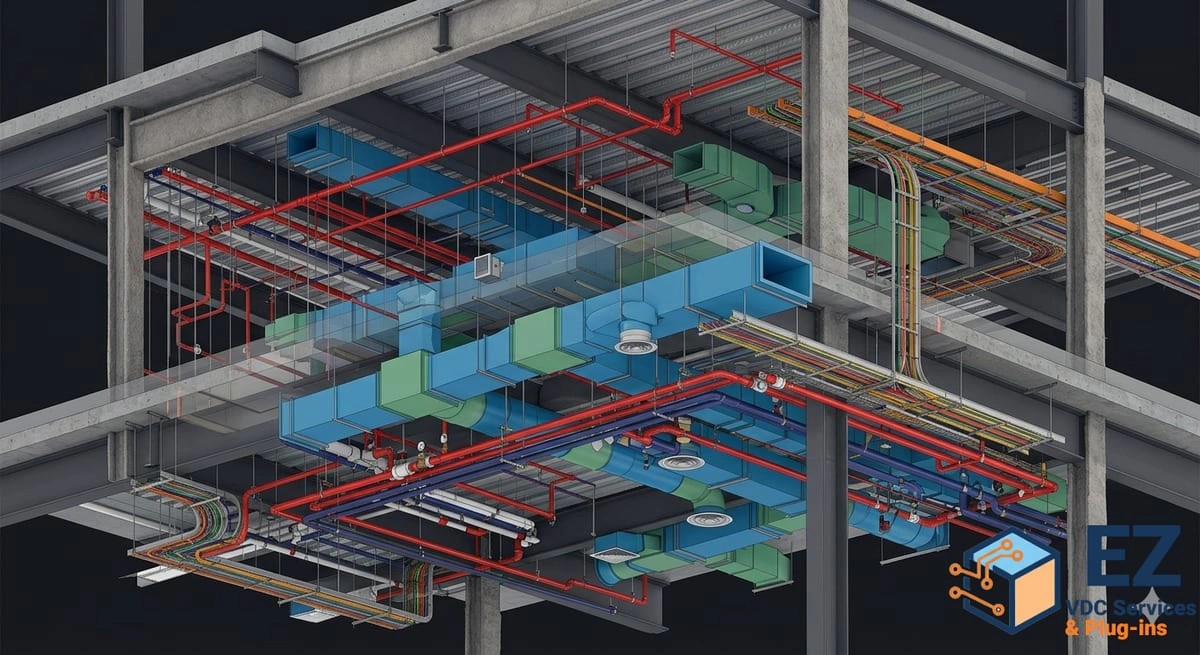
Clash Detection
Rule-based clash testing in Navisworks Manage and Revizto with tuned tolerances and grouped, assigned issues. You get a weekly list a trade can actually work and burn-down reporting that shows whether coordination is converging.
Clash detection is the analytical layer of coordination: running rule-based tests against a federated model to find where systems physically conflict, then turning thousands of raw geometric hits into a short, prioritized list a trade can resolve this week. The value is not in the number of clashes found. It is in the filtering, grouping, and ownership assignment that follows. EZ-VDC builds discipline-specific clash matrices in Navisworks Manage and Revizto, tunes tolerances so construction-acceptable conditions stop reporting, and tracks the clash burn-down through to a signed-off zone. We also build our own Navisworks automation, including EZ Clash Manager, out of running this workflow on live projects.
Clash Matrix Definition
We define which discipline pairs are tested, at what tolerance, and with what severity, so the test set reflects how the building is actually built rather than testing everything against everything.
Automated Test Runs
Tests run on a fixed weekly cycle against the current federated model. Results are versioned so you can see what is new, what is resolved, and what has been reopened since the last run.
Filtering and Grouping
Raw results are filtered for tolerance, insulation, and known-acceptable conditions, then grouped by system, level, and zone so a single routing decision closes dozens of individual hits at once.
Issue Assignment and Tracking
Each grouped issue is exported to ACC, BIM 360, Revizto, or BCF with a viewpoint, an owner, and a due date, then tracked to closure rather than re-reported every week.
Burn-Down Reporting
A weekly report shows open, resolved, and reopened counts by trade and zone, giving the project team an objective read on whether coordination is converging on the milestone date.
What software do you use for clash detection?
Autodesk Navisworks Manage is our primary clash engine, with Revizto for real-time review and issue collaboration. Issues are tracked in Autodesk Construction Cloud, BIM 360, or Revizto depending on the project platform. We also run our own Navisworks plug-in, EZ Clash Manager, to speed up grouping and reporting.
How do you avoid reporting thousands of irrelevant clashes?
Three things: tolerance tuning so construction-acceptable conditions do not report, discipline-pair test matrices instead of one global test, and grouping by system and zone so a single routing change closes many hits at once. A useful weekly clash package is tens of grouped issues, not thousands of raw results.
How often should clash tests be run?
Weekly is the standard cadence for active coordination, aligned to a fixed model submission deadline. Projects on a compressed schedule sometimes run twice weekly during peak coordination, but running tests more often than the trades can resolve them just produces noise.
Is clash detection the same as BIM coordination?
No. Clash detection is the automated test. BIM coordination is the program around it: model governance, meetings, resolution ownership, RFIs, and sign-off. Clash detection without a resolution workflow produces reports; coordination produces a buildable model.
Can you run clash detection on models we already have?
Yes. We audit the incoming models for coordinates, level alignment, and modeling completeness first, because clash results from a misaligned or under-modeled federated set are not trustworthy. Audit findings are delivered before any clash reporting begins.